On Page Navigation

Managed ERPNext Services for Accounting Inventory Manufacturing

ERPNext can run your whole business, but only if somebody owns it properly. Our managed ERPNext services cover all of it: implementation and data migration, module and chart of accounts configuration, custom reports, custom apps where you need them, integrations, and the Frappe Cloud hosting underneath. One team, one flat monthly price, and no quote for every change you ask for.

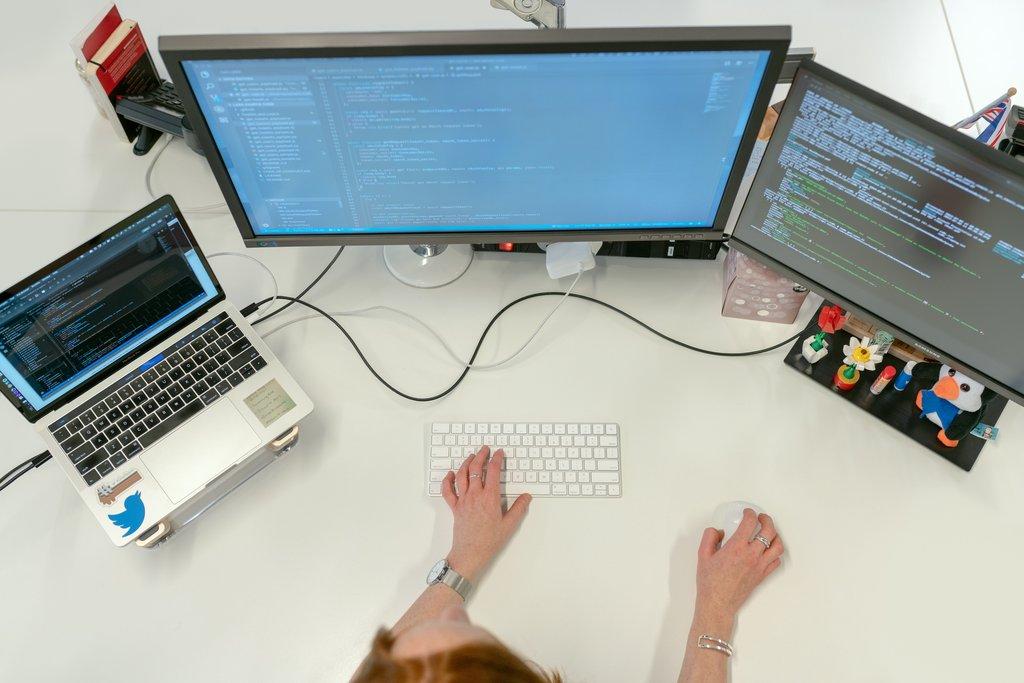
Cascadia engineer writing WordPress code across dual monitors.

Built around how you actually operate

What makes our managed ERPNext services different

Most ERPNext work is sold by the hour, which quietly changes what you ask for. You stop reporting the small problems. You stop asking whether something could be done better. We charge a flat monthly fee instead, so a question costs you nothing and the system keeps improving long after go-live. What follows is what that looks like in practice, rather than in a brochure.

Subscription versus hourly consultant

Managed ERPNext services vs hiring by the hour

The usual way to get ERPNext help is to find a consultant and buy blocks of time. That works for a defined project and works badly for everything afterwards. Here is how an ongoing subscription compares with the arrangement most businesses fall into by default.

Cost is predictable

A subscription is the same number every month whether you send one request or ten. Hourly work means every request carries a quote, an approval, and a delay before anybody actually starts on it.

Somebody knows your setup

A consultant booked twice a year re-learns your configuration each time, and you pay for that. We carry the context between requests, so a question in November does not start with an explanation of what you built in March.

Small things get fixed

Under hourly billing, a report that is slightly wrong stays slightly wrong, because nobody wants to raise a ticket over it. Those small annoyances are exactly what makes a team quietly stop trusting the system.

Training is not an extra

Consultants quote training separately because it is billable time. Sessions are part of the subscription here, so new staff get trained when they arrive rather than when there is budget for it.

The system keeps improving

Project work ends at go-live, and the configuration then drifts slowly out of step with the business. A monthly review means the setup changes when your operations change, not two years later in a second project.

You are not the integrator

When something needs the hosting layer or a piece of custom code, we already run both. Hourly arrangements leave you coordinating a consultant, a host, and a developer who each point at the other two.

Built for businesses running on ERPNext

Who our managed ERPNext services fit best

This suits businesses where ERPNext is the system of record rather than an experiment. If three people are trialling it, you do not need us yet. If your invoicing, stock, or production scheduling runs through it, the configuration has become a business risk and is worth somebody owning properly.

How we work with you

How our managed ERPNext services work

There is no big-bang launch. We start by understanding your business and what your current system does, agree an order of work, then move into a monthly rhythm of building, training, and reviewing. You see progress every few weeks rather than all at once at the end.

1

We map your processes and your current setup

The first sessions are about your business, not the software. How an order reaches you, what happens between quote and cash, who approves what, and where people currently keep the things ERPNext should be holding. If you already run ERPNext, we review the existing configuration at the same time. You get a written plan with a recommended order of work, and it is yours whether or not you continue.

2

We configure and load in stages

Work happens in slices rather than one long build. If you are hosted elsewhere, we move you onto Frappe Cloud first, so everything after that is built on the platform you will actually run. Finance usually goes next, because everything else posts into it, then buying and selling, then stock and production. Each slice gets loaded with your real data and signed off before the next one starts.

3

We train, then review every month

Once a slice is live your team gets trained on it, by role, against the real configuration. After that it becomes a rhythm. You send requests as they come up and we work them. Once a month you get a short written summary of what changed, what is being underused, and what we suggest doing next.

Transparent pricing for managed ERPNext services

Pricing

Managed ERPNext
Standard

Standalone Service

$1,950.00
/per month, per instance
One active request at a time

DETAILS

Everything ERPNext needs for one company: implementation, configuration, customization, development, and the Frappe Cloud hosting underneath. One active request at a time, with a three to five business day turnaround. Training and the monthly review are included, and production issues jump the queue. No setup fee and no minimum term.

Managed ERPNext
Priority

Standalone Service

$3,900.00
/per month, per instance
Two concurrent requests

DETAILS

Everything in Standard, with more capacity when you need it. Two requests run concurrently, turnaround drops to one to three business days, and a quarterly planning session covers what to build next. Covers up to three sites or a private bench, which suits multi-entity groups and anyone mid-implementation.

Testimonials

Here's what others had to say

Everything we configure and run

Everything included in managed ERPNext services

Cascadia Web Services logo

Discovery and Process Mapping

The first sessions are about your business, not the software. How an order reaches you, what happens between quote and cash, who approves what, and where people currently keep the things ERPNext should be holding. You get a written plan with a recommended order of work, and it is yours whether or not you continue with us.
Cascadia Web Services logo

Data Migration and Cleanup

Customers, suppliers, items, opening balances, and historical transactions brought in without duplicates or broken links. We map your source data, run it into a test site first, and check the totals against your old system before anything touches production. Messy data imported quickly costs more to fix than clean data imported carefully.
Cascadia Web Services logo

Phased Go-Live

Finance usually goes first, because everything else posts into it, then buying and selling, then stock and production. Each phase gets configured, loaded, checked against numbers you already know, and signed off before the next one starts. You go live in stages rather than gambling everything on a single cutover date.
Cascadia Web Services logo

Role-Based Training

Sessions run against your own configured system, not a generic demo instance. We train by role, so your warehouse team learns stock entries and your finance team learns the close, and neither sits through the other. Recordings stay with you, which removes a job from your team when somebody new joins.
Cascadia Web Services logo

Module Activation and Setup

ERPNext ships with far more than most businesses need, and switching everything on is how a rollout stalls. We work out which modules match how you actually operate, configure those properly, and leave the rest off. Starting narrow means people learn a system that fits rather than one they have to ignore half of.
Cascadia Web Services logo

Chart of Accounts Design

The default chart is a starting point, not a fit. We build yours around the reports you need to produce, the way your accountant wants transactions grouped, and the detail your management team actually reads. Accounts get added deliberately rather than accumulating, so the trial balance stays readable as you grow.
Cascadia Web Services logo

Tax Templates and Rules

Sales tax, purchase tax, withholding, and the rules that decide which applies to whom. We build the templates, attach them to the right customer and supplier groups, and test them against real transaction examples before you rely on them. Getting this wrong surfaces at filing time, which is the worst moment to find out.
Cascadia Web Services logo

Roles and Permission Design

Who sees what, who can submit, and who can amend after submission. ERPNext permissions are flexible enough to become a maze, so we design yours around job functions rather than individuals. New starters get the right access on day one because the role already exists and somebody thought about it in advance.
Cascadia Web Services logo

Custom Fields and Naming Series

Invoice numbers, item codes, and the extra fields your business needs that ERPNext does not ship with. We add them as configuration rather than code wherever possible, so they survive upgrades untouched. Naming series in particular are hard to change once transactions exist, so we set them to match what your accountant and your customers already expect.
Cascadia Web Services logo

Print Format Design

Invoices, quotations, delivery notes, and purchase orders that look like your business rather than a default template. We build the formats, handle the awkward parts like tax breakdowns and multi-page item tables, and make sure they survive the next upgrade. Your logo, your layout, your terms in the right place.
Cascadia Web Services logo

Custom Reports and Dashboards

The reports your business needs are rarely the ones that ship. We build them in Report Builder where that is enough and as query or script reports where it is not, then put the handful of numbers people check daily on the workspace they already land on. Each one is handed over with a note on what it counts.
Cascadia Web Services logo

Workflows and Approvals

Approval routing, document states, and the notifications that go with them, configured inside ERPNext rather than bolted on. Who can submit, who can amend, and what happens when a value crosses a threshold. Built around your actual authority levels instead of a generic two-step approval that nobody follows.
Cascadia Web Services logo

Custom DocTypes and Modules

When your process genuinely does not map to anything ERPNext ships, we build the DocType rather than forcing your team into a workaround. It gets built the way Frappe expects, with proper permissions, list views, and links into the standard documents, so it behaves like the rest of the system rather than a bolt-on.
Cascadia Web Services logo

Custom App Development

Larger pieces of work get their own app in your own repository, which keeps them separate from core and upgradeable on their own schedule. You own the code. We write it, version it, document it, and maintain it under the same subscription rather than quoting each change as a project.
Cascadia Web Services logo

Integrations and API Work

Payment providers, shipping carriers, bank feeds, ecommerce platforms, and whatever internal system you already run. We build the connection, handle authentication and error retries, and watch that it keeps working. An integration that fails silently is worse than no integration, so failures raise an alert rather than sitting in a log.
Cascadia Web Services logo

Upgrade-Safe Code Maintenance

Custom code is the reason most ERPNext upgrades stall. Because we run your hosting as well, every piece we have written gets checked against the target release before an upgrade is scheduled, and fixed first where it needs it. Being customized and being current stop being a trade-off.
Cascadia Web Services logo

Frappe Cloud Plan Included

We resell Frappe Cloud, so the platform plan and everything else arrive as one number on one invoice. The account carries your name, not ours, and access is granted by you and revocable this afternoon. If your usage grows past what your tier covers, you hear the new figure before anything changes.
Cascadia Web Services logo

Scheduled Version Upgrades

Frappe and ERPNext move quickly, and skipping releases makes the eventual jump much harder. We track what is available, pick a window that suits your working hours, and run the upgrade with a rollback point already in place. You are told what changed before it happens, not after.
Cascadia Web Services logo

Backups with Tested Restores

A backup nobody has restored is a guess. Copies land in storage you control, and restores get run into a throwaway site on a schedule with the elapsed time written down. You find out that recovery works on a quiet Tuesday rather than during an outage.
Cascadia Web Services logo

Monitoring and Staging

Your instance is checked from outside continuously, and the background job queue is watched, because most ERPNext problems surface there before anybody notices them in the interface. You also get a staging site rebuilt from production on a schedule, so changes are tested somewhere real before production sees them.
Cascadia Web Services logo

Incident Response

When production is down or broken it jumps ahead of everything else in the queue, on either tier. We start work on it, keep you posted while it is open, and write up what happened afterwards. The write-up includes what we changed, so the same thing does not come back.
Cascadia Web Services logo

Period Close Support

Month end has a rhythm, and ERPNext can support it or fight it. We help you close: checking unreconciled entries, stock and accounting agreement, open documents that should be submitted, and anything still sitting in draft. You get a checklist that fits your business and a hand on the months where something looks off.
Cascadia Web Services logo

User Administration

Adding people, removing people, and adjusting role profiles are all part of the subscription. We also review access periodically, because the accounts that cause trouble usually belong to somebody who left eight months ago and was never disabled. Licence counts get reviewed at the same time, since dormant users are a quiet recurring cost.
Cascadia Web Services logo

Monthly Review and Recommendations

Once a month we look at how the system is being used: which features have gone untouched, where people are working around ERPNext in a spreadsheet, and what has changed in your business that the configuration has not caught up with. You get a short written summary and a shortlist of what to do next.

Answers to common managed ERPNext questions

Frequently asked questions
What does managed ERPNext actually cover?
Everything ERPNext needs, from first configuration through to ongoing operation. Implementation and data migration, module and chart of accounts setup, custom fields, reports and print formats, custom DocTypes and apps where you need them, integrations, and the Frappe Cloud hosting underneath. It is one flat monthly subscription, so you send requests and we work them without a quote for every change.
How is this different from your Managed Frappe Cloud service?
Managed Frappe Cloud is the infrastructure on its own, and it serves any app on the Frappe codebase rather than ERPNext specifically. This service is the whole stack for one product. If you run ERPNext and want a single team accountable for it end to end, this is the one. If you only need servers, benches, and upgrades, Cloud costs less.
Do we need the hosting service as well?
No. Frappe Cloud hosting is included here, on one invoice at one price. The account is registered in your name and you can revoke our access at any time. If you already host ERPNext elsewhere and want to stay put, tell us and we will price the service without the platform component.
What is the difference between Standard and Priority?
Standard covers one active request at a time with a three to five business day turnaround. Priority covers two concurrent requests with a one to three day turnaround, plus a quarterly planning session where we look at the next stage of your rollout. Production incidents jump the queue on both tiers. Most businesses start on Standard and move up during an active build-out.
Can you migrate us from another accounting system or ERP?
Yes. We map your existing data, bring customers, suppliers, items, and opening balances into a test site, and check the totals against your old system before anything goes live. Historical transactions can come across too, though there is usually a sensible cut-off beyond which keeping the old system read-only costs less than importing everything.
How long does an ERPNext implementation take?
A single-company setup covering finance, buying, selling, and stock typically runs six to twelve weeks from first session to going live. Manufacturing and multi-company structures take longer. The variable is rarely the software. It is how quickly decisions get made on your side and how clean your existing data turns out to be.
Which ERPNext modules do you configure?
Accounting, Stock, Buying, Selling, CRM, Manufacturing, Projects, HR, and Assets, plus the supporting pieces like tax templates, print formats, and naming series. We do not switch everything on by default. Modules get enabled when there is a real process behind them, because unused modules add clutter and make the system harder for your team to learn.
Do you handle custom development?
Yes, and it is included rather than quoted separately. Custom fields and print formats where configuration is enough, custom DocTypes where it is not, and custom apps in your own repository for larger pieces of work. You own the code. Because we run your hosting as well, everything we write gets checked against each release before an upgrade goes ahead.
What about workflows and automations?
Included. Approval routing, document states, notifications, and scheduled jobs inside ERPNext are all part of this subscription. Our separate Managed Frappe Automation service exists for automation that spans your other Frappe apps as well, so if your work sits inside ERPNext you do not need it alongside this.
Can you take over an existing ERPNext instance?
Yes, and it is a common starting point. We begin with a review of how the current setup is configured, what has been customised, and where people are working around it. You get that written up with a recommended order of work before we change anything. If your instance is hosted elsewhere, migrating it onto Frappe Cloud is part of onboarding.
Do you train our staff?
Yes. Sessions run against your own configured system rather than a generic demo, and they are split by role so your finance team and your warehouse team are not sitting through each other's material. Sessions are recorded and the recordings stay with you, which means new starters can be brought up to speed without booking us again.
Can you help with month end?
Yes. We help you build a close checklist that fits your business, then support you through it: unreconciled entries, stock and accounting agreement, documents sitting in draft, and anything unusual against prior periods. On the months where something is off, we work it with you rather than sending you a link to the documentation.
Is there a setup fee or a minimum term?
No setup fee and no minimum term. Billing is monthly and you can cancel with thirty days notice. Large migrations with a heavy up-front data component are sometimes quoted separately, and if that applies to you we will say so before you subscribe rather than after. The ongoing subscription itself stays flat month to month.
What happens if we outgrow the Standard tier?
You move up, and you can move back down. Most businesses need Priority during an active implementation or a busy period, then drop to Standard once things settle. We tell you when your request pattern suggests a change is worth making, in either direction, rather than waiting for you to notice that you are queuing.
Who owns the configuration and the data?
You do, completely. ERPNext is open source, your data is yours, the Frappe Cloud account is registered in your name, and any custom app we write lives in your own repository. If you stop working with us you keep all of it, along with the documentation of how it was set up. There is no lock-in and nothing to buy back.
​Contact

Ask Us Anything

We’d love to hear from you!