On Page Navigation

Managed Frappe Apps for HR CRM Helpdesk

Frappe ships a whole family of apps beyond ERPNext, and most of them are genuinely good. What they are not is self-configuring. Our managed Frappe apps service covers HR, CRM, Helpdesk, Insights, Drive, and the rest: choosing what fits, setting it up, importing your data, training your team, building the fields and reports you need, and looking after it afterwards. One flat monthly fee, no hours to count.

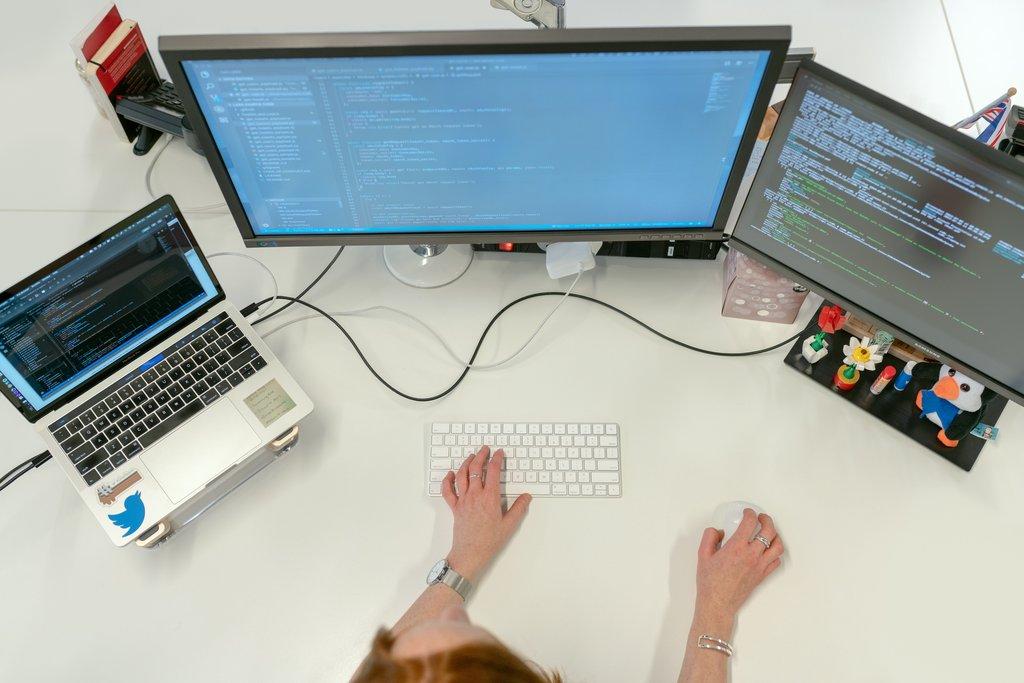
Cascadia engineer writing WordPress code across dual monitors.

Built around apps people actually use

What makes our managed Frappe apps service different

Plenty of providers will install an app and hand you the login. The gap shows up three months later, when half your team has drifted back to email because nobody configured the queues, or when the leave policy in the system does not match the one in your handbook. We do the configuration work that decides whether an app gets adopted or quietly abandoned, and we keep doing it as your business changes.

Subscription versus one-off rollout

A managed Frappe apps partner vs a one-off rollout

The usual way to get Frappe HR or Helpdesk live is to hire somebody for an implementation project. They configure it, hand it over, and leave. Here is how that compares to a subscription where somebody stays responsible for the apps as your policies and your team change.

Configuration keeps up

A project delivers the policy you had on the day it launched. Businesses change leave rules, add teams, and restructure pipelines. A subscription updates the configuration when that happens, instead of leaving it slowly wrong.

Adoption gets watched

A project ends before anybody knows whether the app stuck. We look every month at what has gone quiet and where people have drifted back to spreadsheets, then fix the reason rather than sending a reminder.

Small requests are free to ask

Under project billing, a report that is slightly wrong stays slightly wrong, because raising it means a change order. Those small annoyances are exactly what makes a team quietly stop trusting an app.

Training continues past launch

Implementation training happens once, for whoever happened to be there. New starters arrive all year. Sessions and recordings stay available here rather than expiring along with the project.

Releases have an owner

After a project ends, nobody owns the next release. Apps drift onto different versions until something breaks. A subscription keeps that coordinated as a standing job rather than an emergency.

Context does not walk out

Every new contractor spends the first week learning your setup and you pay for it. We hold that context permanently, so the tenth request costs the same as the first and starts a good deal faster.

Built for teams adopting the Frappe suite

Who our managed Frappe apps service fits best

This suits businesses that have decided on Frappe and want more than ERPNext out of it. If you are still evaluating, you do not need us yet. If you are about to roll out HR or Helpdesk to people who will judge the whole suite by that experience, the configuration is worth getting right.


How we work with you

How our managed Frappe apps service works

There is no big-bang launch. We work out which apps fit, configure one properly and get it adopted, then move to the next. You see something working every few weeks, and each app gets judged on its own before the next one starts.

1

We work out which apps you actually need

The first sessions are about your processes, not the software. What your team does today, where the friction is, and what you already run that an app would duplicate. You get a written recommendation on which apps to adopt, in what order, and which ones to skip for now. That plan is yours whether or not you continue with us.

2

We configure it against your real policies

An app gets set up on a test site with your actual leave rules, service levels, or pipeline stages, and loaded with your real data. You review it against how you genuinely work rather than against a demo script. Nothing reaches production until the people who will live in it have said it looks right.

3

We launch, train, and review monthly

We roll the app out to one team first, train by role, and record the sessions. After that it becomes a rhythm. You send requests as they come up and we work them. Once a month you get a short summary of what changed, what has gone unused, and what we suggest doing next.

Transparent pricing for managed Frappe apps

Pricing

Managed Frappe Apps
Standard

Standalone Service

$1,200.00
/per month, per instance
One active request at a time

DETAILS

A monthly subscription covering implementation, configuration, customization, integrations, and support across Frappe's official apps. One active request at a time, with a three to five business day turnaround. Training and the monthly review are included, and production issues jump the queue. Hosting is available separately through Managed Frappe Cloud.

Managed Frappe Apps
Priority

Standalone Service

$2,400.00
/per month, per instance
Two active requests at a time

DETAILS

Everything in Standard at double the capacity. Two requests run in parallel, so a new app rollout and a bug fix can move at the same time. Turnaround drops to one to three business days, and a quarterly roadmap session keeps the queue pointed at what matters most. Suited to teams mid-rollout.

Testimonials

Here's what others had to say

Everything we set up and support

Everything included in managed Frappe apps

This is the icon that represents WordPress updates.Cascadia Web Services logo

App Selection and Scoping

Frappe ships a lot of apps and not all of them will suit you. We work out which ones map to a real process in your business, which duplicate something you already run, and which are not mature enough yet to depend on. Starting with two apps that fit beats launching six that mostly sit unused.
This is the icon that represents WordPress updates.Cascadia Web Services logo

Setup and Rollout

Installing an app takes minutes. Making it usable takes the setup nobody budgets for: company details, departments, holiday calendars, ticket categories, deal stages, whichever applies. We configure it against how you actually work, then roll it out to one team first so the wrinkles surface before everybody depends on it.
This is the icon that represents WordPress updates.Cascadia Web Services logo

Data Import

Employees, leave balances, contacts, deals, open tickets, or documents, brought across without duplicates or broken links. We map your source data, load it into a test site first, and check the counts against what you had before anything reaches production. Going live with wrong data costs more than going live a week later.
This is the icon that represents WordPress updates.Cascadia Web Services logo

Team Training

Sessions run against your own configured apps, not a generic demo. We train by role, so your HR team learns leave and appraisals while your support team learns queues and service levels, and neither sits through the other. Recordings stay with you for new starters.
This is the icon that represents WordPress updates.Cascadia Web Services logo

Roles and Permissions

Who sees which records, who can approve, and who can only see their own. Frappe permissions are flexible enough to become a maze, and each app adds its own layer on top. We design yours around job functions, so a new starter gets the right access on their first day without anybody guessing.
This is the icon that represents WordPress updates.Cascadia Web Services logo

Email and Notification Setup

Outgoing and incoming email accounts, domain records, and the notification rules that decide who hears about what. Helpdesk in particular lives or dies on inbound email working properly. We configure it, send real test traffic through it, and confirm delivery rather than assuming the settings took.
This is the icon that represents WordPress updates.Cascadia Web Services logo

App-Specific Settings

Each app has its own machinery: leave policies and appraisal cycles in HR, pipelines and lost reasons in CRM, teams and service levels in Helpdesk, data sources and permissions in Insights. We set these against your actual policies, and we write down what was chosen so the reasoning survives the person who chose it.
This is the icon that represents WordPress updates.Cascadia Web Services logo

Workspace and Navigation Design

Out of the box, people land on a screen full of things they will never use. We build workspaces per role, with the shortcuts and reports that job actually needs, and hide the rest. Adoption problems are usually navigation problems wearing a disguise.
This is the icon that represents WordPress updates.Cascadia Web Services logo

Custom Fields and Layouts

The extra fields your business needs that the app does not ship with, added as configuration rather than code wherever possible, so they survive upgrades untouched. Form layouts get rearranged too, because a field nobody can find is not much better than a field that does not exist.
This is the icon that represents WordPress updates.Cascadia Web Services logo

Print Formats and Templates

Offer letters, payslips, quotations, ticket summaries, and certificates that look like your organisation rather than a default template. We build the formats, handle the awkward parts like conditional sections and multi-page tables, and check they still render correctly after the next release.
This is the icon that represents WordPress updates.Cascadia Web Services logo

Custom Reports and Dashboards

The numbers your managers ask for are rarely the ones that ship. We build reports across the apps you run, put the handful of figures people check daily on the workspace they already land on, and note what each one counts and what it deliberately excludes.
This is the icon that represents WordPress updates.Cascadia Web Services logo

Workflows and Approvals

Approval routing, document states, and the notifications that go with them, built around your real authority levels rather than a generic two-step approval that nobody follows. Leave requests, expense claims, deal discounts, and ticket escalations all get the routing your policy actually describes.
This is the icon that represents WordPress updates.Cascadia Web Services logo

App-to-App Connections

Frappe apps share one database, which makes connecting them a configuration exercise rather than an integration project. HR feeding payroll into ERPNext accounts, CRM handing won deals to Selling, Helpdesk tickets linked to real customer records. We wire those links properly so data stops being retyped between screens.
This is the icon that represents WordPress updates.Cascadia Web Services logo

Email and Calendar Integration

Two-way email sync so conversations land against the right contact, deal, or ticket without anybody forwarding anything. Calendar connections so meetings booked in Frappe appear where your team already looks. Small things, and the ones that decide whether people keep using the system after month two.
This is the icon that represents WordPress updates.Cascadia Web Services logo

External Tool Connections

Payment providers, e-signature tools, telephony, chat platforms, or whatever your team already relies on. We build the connection, handle authentication and retries, and watch that it keeps working, because an integration that fails quietly is worse than one that never existed.
This is the icon that represents WordPress updates.Cascadia Web Services logo

Single Sign-On and Provisioning

Login through your existing identity provider, so access follows the same rules as everything else you run. New joiners get provisioned from one place and leavers get removed from one place. It removes a recurring administrative job and closes the gap where forgotten accounts sit active for months.
This is the icon that represents WordPress updates.Cascadia Web Services logo

Incident Response

When an app your team depends on is down or behaving badly, it jumps ahead of everything else in the queue on either tier. We start work immediately, keep you posted while it is open, and write up afterwards what happened and what we changed so it does not repeat.
This is the icon that represents WordPress updates.Cascadia Web Services logo

Upgrade Coordination

Frappe apps release on their own schedules, which is how instances end up with mismatched versions. We track what is available, check your configuration and customizations against it, and coordinate the upgrade window with whoever runs your hosting. You hear what is changing before it changes.
This is the icon that represents WordPress updates.Cascadia Web Services logo

User Administration

Adding people, removing people, and adjusting role profiles across every app you run, all part of the subscription. We review access periodically too, because the accounts that cause trouble usually belong to somebody who left months ago. Licence counts get checked at the same time.
This is the icon that represents WordPress updates.Cascadia Web Services logo

Monthly Review and Recommendations

Once a month we look at how the apps are actually being used: which ones have gone quiet, where people are still working in a spreadsheet alongside, and what has changed in your business that the configuration has not caught up with. You get a short written summary and a shortlist of what to do next.

Answers to common managed Frappe apps questions

Frequently asked questions
Which Frappe apps do you support?
The official app family: Frappe HR, CRM, Helpdesk, Insights, Drive, LMS, Books, Builder, Wiki, and Gameplan. If Frappe ships it and it is stable enough to run a business process on, we will implement, configure, and support it. If you ask about an app that is still early or barely maintained, we will tell you that rather than sell you a rollout you will regret.
What does this subscription actually cover?
Implementation, configuration, customization, integration, and ongoing support for Frappe's official apps. Choosing which apps fit, setting them up, importing your data, training your team, building the custom fields, reports and print formats you need, connecting the apps to each other, and looking after them afterwards. One flat monthly price, and no quote for every change.
How is this different from your Managed ERPNext service?
Different products. Managed ERPNext covers ERPNext itself, in depth, with hosting included. This covers the rest of Frappe's official app family. Plenty of businesses take both, because Frappe HR and Helpdesk usually sit alongside ERPNext rather than instead of it. If ERPNext is all you run, you only need the other one.
Do you handle custom app development?
Not under this subscription. This covers Frappe's official apps: setting them up, configuring them, and customizing them through fields, reports, print formats, and workflows. Building a new app from scratch is a different kind of work and gets quoted separately. If a request crosses that line we will tell you before starting rather than after.
Is hosting included?
No. This subscription is the apps, not the platform underneath. If you need hosting as well, our Managed Frappe Cloud service covers that and the two sit on one invoice. If you already host with Frappe Cloud or somewhere else, we work in your existing environment and coordinate upgrade windows with whoever runs it.
What is the difference between Standard and Priority?
Standard covers one active request at a time with a three to five business day turnaround. Priority runs two requests in parallel, drops turnaround to one to three business days, and adds a quarterly roadmap session. Production issues jump the queue on both tiers. Most businesses start on Standard and move up during an active rollout.
Can you take over apps somebody else set up?
Yes, and it is common. We start with a review of how each app is configured, what has been customized, and where people are working around it. You get that written up with a recommended order of work before we change anything, because an inherited setup usually needs decisions before it needs edits.
How long does it take to get an app live?
A straightforward app like Helpdesk or Drive can be live in two to three weeks. Frappe HR takes longer, usually six to ten weeks, because leave policies, appraisal cycles, and payroll structures all need decisions from you. The software is rarely the constraint. How quickly your side agrees the policy usually is.
Do you train our team?
Yes, and it is included. Sessions run against your own configured apps rather than a generic demo, split by role so people only sit through what applies to them. Everything is recorded and the recordings stay with you, which means new starters get brought up to speed without booking us again.
Can you connect Frappe apps to ERPNext?
Yes, and this is where the app family earns its keep. Because everything runs on one database, HR can feed payroll entries into ERPNext accounts, CRM can hand a won deal to Selling, and Helpdesk tickets can link to the actual customer record. We configure those links properly so nobody retypes data between screens.
What about integrations with tools outside Frappe?
Covered. Payment providers, e-signature, telephony, chat platforms, and identity providers for single sign-on. We build the connection, handle authentication and retries, and monitor that it keeps working. Anything needing a substantial amount of new code rather than configuration gets flagged and quoted before we start.
Do you handle upgrades?
We coordinate them. Frappe apps release on their own schedules, so we track what is available, check your configuration and customizations against the new version, and agree a window with you. If we also run your hosting through Managed Frappe Cloud, we execute the upgrade as well. If somebody else hosts you, we work with them on timing.
Is there a setup fee or a minimum term?
No setup fee and no minimum term. Billing is monthly and you can cancel with thirty days notice. Large data migrations with a heavy up-front component are sometimes quoted separately, and if that applies to you we will say so before you subscribe rather than after. The ongoing subscription stays flat month to month.
What happens if we outgrow the Standard tier?
You move up, and you can move back down. Most businesses want Priority while they are rolling out a new app and drop to Standard once it settles. We tell you when your request pattern suggests a change is worth making, in either direction, rather than waiting for you to notice that you are queuing.
Who owns the configuration and the data?
You do. Frappe's apps are open source, your data is yours, and every configuration we build lives inside your own instance. There is no proprietary layer and no licence tied to us. If you stop working with us you keep all of it, along with the documentation of how it was set up.
​Contact

Ask Us Anything

We’d love to hear from you!