On Page Navigation

Managed Frappe Cloud Hosting for Uptime Backups Upgrades

Frappe Cloud runs the infrastructure well. It does not decide when to upgrade you, check your custom apps against the new release first, or prove that your backups actually restore. We cover that layer for whatever you run on it, whether that is ERPNext, Frappe HR, Helpdesk, or an app your own team wrote: planned upgrades, verified backups, uptime and job queue monitoring, staging, and someone to call when production breaks. The plan is included in the price.

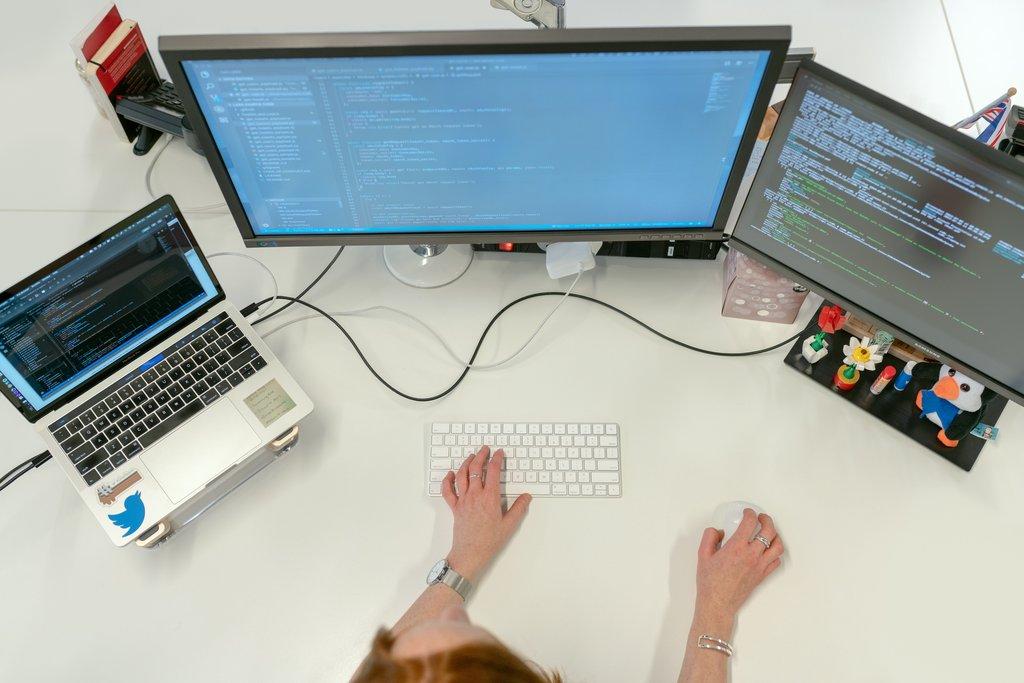
Cascadia engineer writing WordPress code across dual monitors.

Built to stay upgraded and recoverable

What makes our managed Frappe Cloud hosting different

Plenty of providers will put a Frappe site on a server and call it hosting. The difference shows up on the day a version upgrade breaks a custom app, or the day somebody needs last Tuesday's data back. We run the unglamorous work that decides those outcomes: compatibility checks before upgrades, restores tested on a schedule rather than assumed, and a written record of what is installed and why. None of it is exciting, and all of it is why the bad days stay short.

Why teams stop self-managing

Managed Frappe Cloud hosting vs running it yourself

Most Frappe instances are looked after by whoever set them up, in the gaps between their real job. That works until an upgrade goes wrong or somebody needs a restore in a hurry. Here is how the arrangement compares to a subscription where keeping the instance healthy is the actual job.

Upgrades happen on schedule

Self-managed instances postpone upgrades until something forces the issue, and by then the jump spans several releases at once. We upgrade on a planned cadence, which keeps each step small enough to test properly beforehand.

Restores are proven, not assumed

Backups running is not the same as backups working. We restore into a throwaway site on a schedule and record how long it took, so your recovery time is a known number rather than a hopeful assumption.

The job queue gets watched

Failed background jobs are silent. Reports stop arriving and emails sit unsent for weeks before anybody connects the two. Queue depth and failures are monitored here, and the cause gets chased rather than just cleared.

Somebody is always on call

When your one technical person is on holiday, a self-managed instance has no escalation path at all. A subscription puts a team behind it, and production problems jump ahead of the queue on either tier.

Capacity gets reviewed

Paying for headroom you never touch is a cost, and hitting the ceiling during month end is a much bigger one. We watch real usage against your plan and say when to move, in either direction.

What changed is written down

In-house changes live in somebody's memory. When something breaks, the first question is what changed, and nobody can answer it. We keep a record of apps, versions, and configuration changes, so investigation starts with facts.

Built for teams running real operations

Who our managed Frappe Cloud hosting fits best

This suits organisations already live on Frappe, whether that is ERPNext, one of the official apps, or something built in house, where people work in it daily and an outage stops something that matters. If your instance is a pilot with three users, you do not need this yet. If real work runs through it, the cost of one bad upgrade already exceeds the subscription.


How we work with you

How our managed Frappe Cloud hosting works

Onboarding is deliberately unexciting. We take stock of what you actually have, fix whatever is already wrong before agreeing to keep it running, then settle into a rhythm of planned upgrades, verified backups, and monitoring you never have to look at yourself.

1

We audit what you are actually running

Before agreeing to run anything, we look at what exists. Which apps are installed and at what versions, how backups are configured, whether anybody has ever restored one, what the job queue looks like, and how close the current plan is to its limits. You get that written up whether or not you proceed, because knowing the state of your own instance is worth having either way.

2

We fix what the audit found

Whatever the audit turns up gets sorted before the subscription settles into routine. That usually means bringing app versions back into line, reconfiguring backups and running the first real restore, standing up a staging site that mirrors production, and clearing whatever has piled up in the failed job queue. It is included, not a separate onboarding fee.

3

We keep it running and report monthly

From there it becomes a rhythm. Upgrades get scheduled with you and tested on staging first. Restores get proven quarterly. Monitoring runs continuously and we take first look at whatever it finds. Once a month you get a short written summary of what was upgraded, what alerted, what we changed, and what we suggest next.

Transparent pricing for managed Frappe Cloud hosting

Pricing

Managed Frappe Cloud
Standard

Standalone Service

$450.00
/per month, per instance
One production site plus staging

DETAILS

A monthly subscription for a single Frappe Cloud site. Covers scheduled upgrades, backup configuration with tested restores, uptime and job monitoring, staging, domains, and user administration. The Frappe Cloud plan is included in the price. Response lands on the next business day, and production outages jump the queue.

Managed Frappe Cloud
Priority

Standalone Service

$900.00
/per month, per instance
Up to three sites or a bench

DETAILS

Everything in Standard, across more of your estate. Covers up to three sites or a private bench, with response on the same business day and a quarterly review of capacity, cost, and upgrade planning. The Frappe Cloud plan is included here too, so growth arrives as one number rather than two.

Testimonials

Here's what others had to say

Everything we manage

Complete managed Frappe Cloud hosting coverage

This is the icon that represents WordPress updates.Cascadia Web Services logo

Scheduled Version Upgrades

Frappe and ERPNext move quickly, and skipping releases makes the eventual jump much harder. We track what is available, pick a window that suits your working hours, and run the upgrade with a rollback point already in place. You are told what changed before it happens, not after.
This is the icon that represents WordPress updates.Cascadia Web Services logo

App Update Windows

Marketplace apps and your own custom apps update on their own schedules, which is how instances end up with mismatched versions. We keep every app on a version compatible with your Frappe release, and updates get batched into a planned window rather than applied piecemeal whenever one appears.
This is the icon that represents WordPress updates.Cascadia Web Services logo

Pre-Upgrade Compatibility Checks

Before any upgrade we check your custom apps, server scripts, and print formats against the target version. Anything that will break gets fixed first, or the upgrade waits. This is the step self-managed instances skip, and it is the reason upgrades develop a reputation for being risky.
This is the icon that represents WordPress updates.Cascadia Web Services logo

Post-Upgrade Verification

An upgrade that completes is not the same as an upgrade that worked. We walk your critical paths afterwards: raising a sales order, submitting an invoice, running payroll, firing a workflow. If something behaves differently, you hear it from us rather than from a user two days later.
This is the icon that represents WordPress updates.Cascadia Web Services logo

Offsite Backup Configuration

Frappe Cloud takes backups, and we decide with you where yours go, how often, and how long they are kept. Copies also land in storage you control, so a problem with the platform account never turns into a problem with your data.
This is the icon that represents WordPress updates.Cascadia Web Services logo

Restore Drills

A backup you have never restored is a guess. We run periodic restores into a throwaway site and confirm the data comes back intact and complete. You get the result in writing, including how long the restore actually took, because that is the number that matters during an incident.
This is the icon that represents WordPress updates.Cascadia Web Services logo

Retention and Recovery Points

How much work can you afford to lose? We set backup frequency and retention against that answer rather than against a default, then document the recovery point you are genuinely running with. Longer retention costs a little more, and we will say when it is worth paying for.
This is the icon that represents WordPress updates.Cascadia Web Services logo

Pre-Change Snapshots

Every upgrade, app installation, or bulk data change starts with a fresh snapshot taken immediately beforehand. If the change goes badly, the way back is minutes rather than hours, and it lands on the exact state you were in before anybody touched anything.
This is the icon that represents WordPress updates.Cascadia Web Services logo

Uptime Monitoring

Your instance is checked from outside continuously, not just pinged for a response code. We watch whether the login page loads, whether the desk responds, and how long requests take. Slow is a warning that usually arrives before down, and we treat it that way.
This is the icon that represents WordPress updates.Cascadia Web Services logo

Background Job Monitoring

Most ERPNext problems surface in the queue before anyone notices them in the interface. Scheduled reports stop arriving. Emails sit unsent. We watch queue depth and failed jobs, and we chase the cause rather than clearing the backlog and hoping it does not come back.
This is the icon that represents WordPress updates.Cascadia Web Services logo

Disk and Database Growth Tracking

Databases grow quietly until the day they no longer fit. We track disk use, table sizes, and version log growth, and we flag anything expanding faster than your transaction volume explains. Cleanup happens before you are choosing between an outage and an emergency plan upgrade.
This is the icon that represents WordPress updates.Cascadia Web Services logo

Alert Triage

Monitoring that pages everyone about everything gets muted within a month. We tune thresholds, group related alerts, and take first look ourselves. What reaches you is filtered down to the things that genuinely need a decision from your side, with the context already gathered.
This is the icon that represents WordPress updates.Cascadia Web Services logo

Staging Site Management

You get a staging site that is a real copy of production, refreshed on a schedule so it does not drift into fiction. Changes are tested there first, whether that is an upgrade, a new app, or a configuration change somebody wants to try out.
This is the icon that represents WordPress updates.Cascadia Web Services logo

Bench and App Version Control

We keep a written record of which apps are installed, at which versions, on which bench, and why. When something breaks, the first question is always what changed. Having that answer written down already turns a long investigation into a short one.
This is the icon that represents WordPress updates.Cascadia Web Services logo

Domain and SSL Management

Custom domains, DNS records, and certificate renewal all sit with us. Certificates renew before they expire rather than after somebody notices the browser warning. Adding a domain or moving one is a request you send, not a support ticket you have to chase.
This is the icon that represents WordPress updates.Cascadia Web Services logo

User and Role Administration

Adding people, removing people, and adjusting role profiles are all part of the subscription. We also review access periodically, because the accounts that cause trouble are usually the ones belonging to somebody who left eight months ago and was never disabled.
This is the icon that represents WordPress updates.Cascadia Web Services logo

Incident Response

When production is down or broken it jumps ahead of everything else in the queue, on either tier. We start work on it, keep you posted while it is open, and write up what happened afterwards. The write-up includes what we changed so it does not recur.
This is the icon that represents WordPress updates.Cascadia Web Services logo

Plan Right-Sizing

Frappe Cloud plans are easy to overpay for and easy to outgrow. We watch your actual resource use against what the tier includes and tell you when to move. Paying for headroom you never touch is a cost, and so is discovering the ceiling during month end.
This is the icon that represents WordPress updates.Cascadia Web Services logo

Frappe Cloud Escalation

When an issue belongs to the platform rather than your instance, we take it to Frappe Cloud support and carry the conversation. You never repeat your setup to anybody, and you never sit in a queue trying to explain a problem you did not cause in the first place.
This is the icon that represents WordPress updates.Cascadia Web Services logo

Monthly Health Report

Once a month you get a plain summary: what was upgraded, what was backed up and verified, what alerted, what we changed, and what we recommend next. It is short, and it is written so somebody outside your IT function can read it and follow the reasoning.

Answers to common Frappe Cloud hosting questions

Frequently asked questions
What is included in a managed Frappe Cloud subscription?
Everything needed to keep a Frappe site running well, whichever apps it runs: scheduled version and app upgrades, backup configuration with tested restores, uptime and background job monitoring, staging environment management, domain and certificate handling, user administration, and first-line incident response. The Frappe Cloud plan itself is included in the monthly price. You send requests, we work them, and nothing is billed by the hour.
Is Frappe Cloud hosting included in the price or billed separately?
Included. We resell Frappe Cloud, so the platform plan and the management sit on one invoice at one price. Standard covers a production site plus staging. Priority covers up to three sites or a private bench. If your resource use grows past what your tier includes, we tell you what moving up costs before anything changes, so the number on your invoice never surprises you.
What is the difference between Standard and Priority?
Scope and speed. Standard is $450 a month, covers one production site plus staging, and responds on the next business day. Priority is $900 a month, covers up to three sites or a private bench, responds the same business day, and adds a quarterly review of capacity, cost, and upgrade planning. The actual work we do is identical on both tiers.
Why not just buy Frappe Cloud myself?
You can, and the platform handles infrastructure well. What it does not do is decide when to upgrade you, check your custom apps against the new version first, verify that your backups actually restore, watch your job queue, or notice that a table is growing faster than your order volume explains. That work still lands on somebody in your team. This subscription is that somebody.
How is this different from your apps and automation subscriptions?
Cloud keeps the platform running underneath, whatever app sits on it. Automation configures behaviour across your Frappe apps. Apps covers Frappe's official app family. Managed ERPNext is the full stack for ERPNext specifically, with hosting included, and most ERPNext-only businesses want that one rather than this. If your request is about uptime, upgrades, backups, or environments across several apps, it belongs here.
Do you support custom apps on Frappe Cloud?
Yes. Custom apps are the single biggest reason upgrades go wrong, so we track which ones you run and at which version, and we check each against the target Frappe release before upgrading anything. We will host and update apps that somebody else wrote. Building them or fixing their code is development work and belongs to the managed Frappe apps subscription instead.
What actually happens during a version upgrade?
We agree a window with you, take a fresh snapshot, and check your custom apps, server scripts, and print formats against the target version. The upgrade runs on staging first. Once it passes there, production follows in the agreed window. Afterwards we walk your critical paths to confirm real work still works, and you get a short note covering what changed.
How often do you test that backups restore?
Quarterly at minimum, and always after any change to how backups are configured. A restore goes into a throwaway site and gets checked for completeness rather than just for finishing without an error. You get the result in writing including elapsed time, because during a real incident the only number anybody cares about is how long recovery actually takes.
What are your response times when something breaks?
Priority is same business day and Standard is next business day. Both tiers put production outages ahead of everything else in the queue, because a broken instance is not a queued request and treating it like one would be indefensible. Routine work such as adding users or scheduling an upgrade runs on a normal cadence, and we tell you when it is booked.
Can you migrate my existing ERPNext instance onto Frappe Cloud?
Yes, though migration is a separate fixed-price project rather than subscription work. It covers moving your site, apps, and data across, confirming everything arrived intact, and cutting over with a rollback plan in place. Once you are live, this subscription takes over from there. Most clients run the migration first and start the subscription on the same day it completes.
Do I keep control of my Frappe Cloud account?
Yes. The account is yours and your name is on it. We operate it using access you grant and can revoke at any time. Nothing is locked to us, no configuration is hidden from you, and there is no proprietary layer sitting between you and the platform. If you bring management back in house, the account keeps running exactly as it is.
What is not included in the subscription?
Initial migration and implementation are projects. Building or repairing custom apps belongs to the apps subscription. Designing workflows and alerts belongs to automation. Third-party licences and paid marketplace apps are passed through at cost. Data entry, bookkeeping, and end user training sit outside all of it. We will tell you before a request crosses any of those lines.
Can I switch tiers or cancel?
Both. Move between tiers at the start of any billing cycle and cancel with 30 days notice. There is no long-term contract and no cancellation penalty. If you do cancel, we can either transfer billing of the Frappe Cloud account into your own name or hand the account over as it stands, whichever suits you, and anything in flight gets finished first.
How many sites does each tier cover?
Standard covers one production site plus one staging site. Priority covers up to three sites, or a private bench if you would rather have isolation than site count. Sites beyond what your tier includes are quoted individually and are usually inexpensive, because the management overhead of a fourth site is far lower than the overhead of the first one.
What happens to my instance if I stop working with you?
Everything stays where it is and keeps running. The Frappe Cloud account transfers to you along with the written record of installed apps and versions, the backup configuration, the restore test results, and any documentation produced along the way. Nothing needs rebuilding and nothing was ever obfuscated. Whoever takes over inherits a documented instance rather than a mystery.
​Contact

Ask Us Anything

We’d love to hear from you!