On Page Navigation

Managed Zoho Projects Services for Timesheets Milestones Workflows

Most project work goes wrong in the gaps, the handoff nobody owns, the hours logged a week late, the change request agreed in a chat thread. Managed Zoho Projects puts tasks, milestones, timesheets, budgets, and client updates in one system we configure and run for you. We build your delivery process into the software, connect it to CRM and Books, and keep it correct as your work changes.


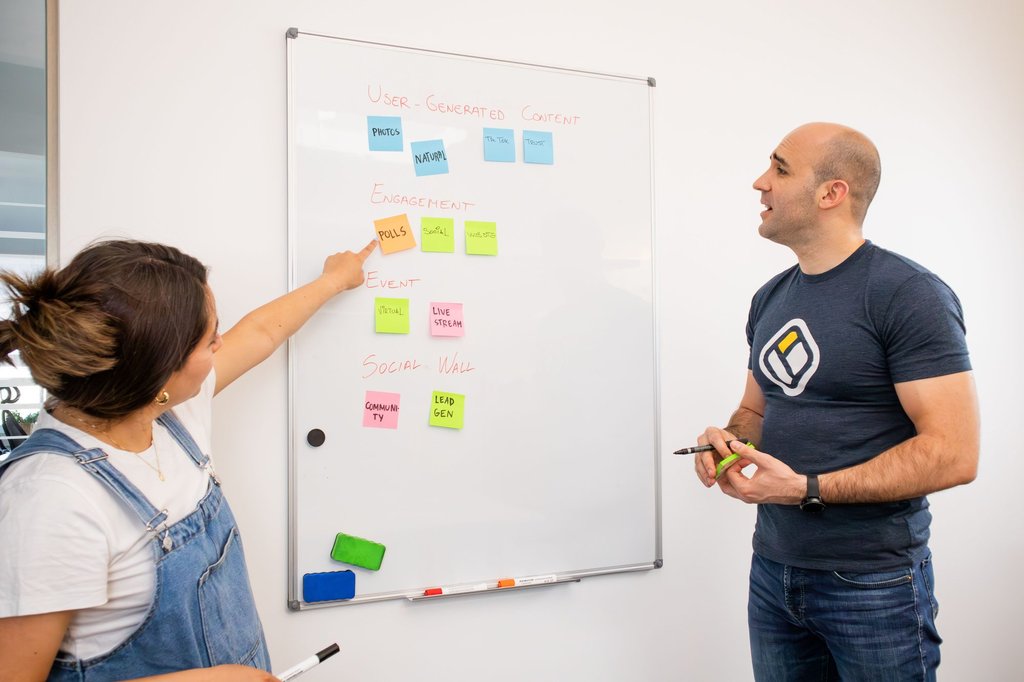
Cascadia team reviewing project timelines and billable hours on a delivery dashboard.

Delivery that runs on process, not memory

What makes our managed Zoho Projects service different

Project software is usually bought to answer one question: are we making money on this work. Most implementations never answer it, because the hours never make it cleanly from a timesheet onto an invoice, and nobody reconciles what was delivered against what was eventually billed.

That path is where the money leaks. Time logged against the wrong task, or not logged at all because the form was tedious, becomes work you did and never charged for. So timesheets are made quick enough that people actually complete them, and the route from a logged hour to a line on an invoice is tested rather than assumed. Approvals sit where they cannot be stepped around. Templates match how you really deliver. And the reporting shows what a project earned, not only what it cost.

Why teams stop doing this alone

Managed Zoho Projects vs a standalone project tracker

Anybody can create a project and a task list. Shaping the tool around how you deliver, enforcing approvals through blueprints, and getting logged hours through to an invoice is a different job, and it is the part that usually gets postponed. Here is how the two approaches compare.

Seeing what was actually sold

With a standalone tracker, the project starts from a verbal summary and the scope drifts from what the client signed. We connect Projects to Zoho CRM so a won deal creates the project with the client, contacts, and agreed scope already attached, and delivery starts from the real thing.

Getting hours onto an invoice

A separate tracker holds your time and your accounting system holds your billing, so somebody rebuilds the month by hand. We connect timesheets to Zoho Books so approved billable hours and expenses become draft invoices with the right rates already attached.

Chasing timesheets every week

Collecting hours by reminder is a job nobody wants and everybody does badly. Timers on tasks, approval routing, and automatic reminders close the week on schedule, and approved hours move straight through to billing without anybody transcribing them.

Keeping a process from being skipped

A process in a document works until a deadline gets tight. Blueprints enforce the stages, so a required approval or a missing field blocks the task rather than being noticed at handover. The rule lives in the system instead of in somebody's memory.

Growing into the wider Zoho suite

A project tool alone has no view of sales, accounting, or support. We manage the wider Zoho environment, so when a delivery problem turns out to be a CRM handoff problem, we say so, and we flag when Zoho One costs less than adding apps one by one.

What it costs next month

Hourly help makes every small process change feel expensive, so people stop asking and the configuration slowly goes stale. A flat monthly rate makes the cost predictable and puts the incentive on us to keep the system current rather than to bill hours.

Built for teams that deliver client work

Who our managed Zoho Projects service fits best

Project software starts paying once informal stops working, usually when several jobs run at once and somebody has to answer for the hours. If you are tracking work in chat threads, planning in a spreadsheet, or rebuilding your billing from memory each month, this is usually the fix.

How we work with you

How our managed Zoho Projects service works

Whether you are moving off a standalone tracker or inheriting a Zoho Projects account somebody set up two years ago, the sequence is the same. We get the structure and the daily use right first, then the automation, then everything else. Most clients are running live work within a month.

1

We audit and migrate your project data

We start with what you have, whether that is Trello, Asana, Jira, a spreadsheet, or a half configured Zoho account. Open work, owners, due dates, and attachments get mapped and loaded so history comes across rather than everyone starting from an empty board. We reconcile the result against your source before anybody works in it, because a task that lost its context costs more than the migration saved.

2

We build the structure and automation

Next come the pieces that make the system yours, meaning project templates and phase structures, custom fields and task layouts, blueprints for the processes you repeat, timesheet and billing configuration, and the permission model that decides who sees what. We test each one on a real project, then turn on the client portal once the internal side is solid.

3

We keep it correct as you change

From there you get the ongoing work, meaning process changes configured when you make them, new project types and templates built as you need them, the Books billing mapping checked every cycle, and a monthly summary of utilization, budget against actual, overdue work, and anything still open. You send priorities and we build them into the following month.

Transparent pricing for managed Zoho Projects

Pricing

Managed Zoho
Projects

Managed Service

$700.00
/per month, per organization
up to 50 users, project templates and billing workflows included

DETAILS

Ongoing management of your project system at a flat monthly rate. Covers up to 50 users, project structure and templates, task workflows and dependencies, timesheets and billable rates, blueprint automation, client portal setup, dashboards and utilization reporting, and Zoho CRM, Books, Desk, and Analytics integration. Your Zoho license is billed by Zoho and is not marked up.

Managed Zoho
One

Bundled Service

$2,000.00

/per month, all Zoho apps​

renews on the 1st of each month​

DETAILS

Running more than one Zoho app? The Zoho One bundle covers every app under one monthly plan instead of stacking separate app subscriptions on top of each other. CRM, Books, Desk, Projects, People, and the rest get managed together for less than four individual app plans, which is where most multi-app teams end up.

All Apps Included

Testimonials

Here's what others had to say

Everything we manage

Complete managed Zoho Projects coverage

Cascadia Web Services logo

Project Structure & Templates

How you break work down decides whether the reports mean anything later. We set up your project structure around how you actually deliver, then build templates so a new client or job starts from a working task list instead of a blank screen. Repeat work stops being retyped every time.
Cascadia Web Services logo

Migration From Your Current Tracker

We bring your open work across from Trello, Asana, Jira, Monday, or the spreadsheet everyone is quietly maintaining. Tasks, owners, due dates, and attachments come over so history survives the move. We reconcile the result against your source before anyone starts working in the new system.
Cascadia Web Services logo

User Roles & Client Portal Access

Not everyone should see everything, and clients should see less again. We configure roles and profiles so staff see the projects they work on, contractors see only their tasks, and the client portal exposes progress without exposing your internal notes, budgets, or margins.
Cascadia Web Services logo

Task Layouts & Custom Fields

Default task fields fit generic work, not yours. We add the fields your team needs, such as job number, phase, billing type, or approval stage, and set layouts per project type so people fill in what matters and skip what does not apply to them.
Cascadia Web Services logo

Task Lists, Subtasks & Dependencies

Work that depends on other work needs to say so. We build task lists with subtasks and set dependencies so a slipped item moves what follows it rather than quietly leaving the schedule wrong. Your team sees what is actually blocked instead of guessing from a due date.
Cascadia Web Services logo

Milestones & Phase Planning

Milestones turn a long task list into a plan somebody can report on. We define phases and milestones for each project type, tie the right task lists underneath them, and set them up so progress rolls up automatically. You get a status answer without asking five people for one.
Cascadia Web Services logo

Gantt Charts & Critical Path

We configure Gantt views so the schedule is visible and the critical path is obvious. Baselines get set at kickoff, which means slippage shows as a comparison against the plan rather than a feeling. Resource conflicts surface while there is still time to move something.
Cascadia Web Services logo

Kanban Boards & Custom Statuses

Your workflow has stages that a generic open and closed model cannot express. We build custom statuses that match how work really moves, whether that is drafting, internal review, client review, and delivery, then set up boards so each team sees its own queue at a glance.
Cascadia Web Services logo

Timesheets & Timer Configuration

Time only gets logged reliably when logging it is easy. We set up timers and timesheets so hours attach to the right task, configure approval routing, and set reminders that close the week on schedule. Managers approve exceptions rather than chasing everybody for a submission.
Cascadia Web Services logo

Billable Rates & Budget Tracking

We configure billable and non billable classification, set rates by user, role, or project, and turn on budget tracking against hours or cost. You find out you are approaching a fixed fee ceiling while you can still do something about it, not when the invoice comes up short.
Cascadia Web Services logo

Invoicing Through Zoho Books

Approved time should become an invoice without anybody retyping it. We connect Projects to Zoho Books so billable hours and expenses flow through to draft invoices with the right rates and clients attached. Billing stops being a monthly reconstruction from memory and old notes.
Cascadia Web Services logo

Blueprints For Repeatable Work

Blueprints let you define how a task must move through its stages and what has to happen at each one. We build them for the processes you repeat, so approvals cannot be skipped, required fields get filled before a stage closes, and the next owner is assigned automatically.
Cascadia Web Services logo

Workflow Rules & Notifications

We build the rules that move work along, such as assigning a reviewer when a task hits done, escalating an overdue item to a manager, or alerting the project lead when a budget threshold is crossed. Notifications get tuned so people read them rather than filtering them away.
Cascadia Web Services logo

Recurring Tasks & Reminders

Retainers, maintenance windows, and monthly reporting all repeat, and all get forgotten. We configure recurring tasks with the right cadence and owners so the work appears on schedule. Nobody has to remember the fifteenth of the month, and nothing quietly stops happening.
Cascadia Web Services logo

Zoho CRM Deal To Project Handoff

The gap between a closed deal and a started project is where scope gets lost. We connect Projects to Zoho CRM so a won deal creates the project from the right template with the client, contacts, and agreed scope already attached. Delivery starts from what was actually sold.
Cascadia Web Services logo

Zoho Desk, Cliq & Analytics Links

We wire Projects into the rest of your Zoho environment, so a support ticket can become a task without rekeying, project chat lives in Cliq where your team already talks, and project data reaches Zoho Analytics for reporting alongside sales and financial numbers.
Cascadia Web Services logo

Dashboards & Utilization Reporting

We build the reports you will actually open, covering utilization by person, budget against actual by project, overdue work by owner, and profitability once time and expenses are in. You get numbers you can act on rather than a chart that looks impressive and changes nothing.
Cascadia Web Services logo

Monthly Configuration Changes

Your process changes, so the configuration has to change with it. New project types, adjusted workflows, added fields, revised rates, and new automations are part of the monthly rate rather than a quote every time. Small improvements happen because asking for them costs you nothing.
Cascadia Web Services logo

User Onboarding & Training

A system nobody uses correctly is worse than the spreadsheet it replaced. We onboard your team with training aimed at their actual role, set up new users as you hire, and write down how your setup works so the knowledge does not live in one person's head.
Cascadia Web Services logo

Access Reviews & Data Ownership

Everything lives inside your own Zoho subscription under your company name, so there is no agency account holding your data hostage. We review access as people join, change roles, and leave, and we keep client portal permissions tight so nobody sees a project that is not theirs.

Answers to common managed Zoho Projects questions

Frequently asked questions
What is managed Zoho Projects?
Managed Zoho Projects is a subscription where we run your Zoho Projects environment for you at a flat monthly rate. That covers the initial build, project structure and templates, task workflows, timesheets and billing setup, automation, reporting, and the integrations into the rest of your Zoho apps. It also covers the ongoing changes as your process shifts, so the configuration stays current instead of slowly going stale after launch.
What does Zoho Projects actually do?
Zoho Projects is Zoho's project management application. It handles projects, task lists, subtasks, and dependencies, milestones and phases, Gantt charts and baselines, kanban boards with custom statuses, timesheets and billable time, issue tracking, document storage, and client portals. It connects to Zoho CRM, Books, Desk, Cliq, and Analytics, which is the main reason teams already inside Zoho choose it over a standalone tracker.
How much does managed Zoho Projects cost?
Managed Zoho Projects is $700 per month per organization. That is a flat rate covering setup, configuration, ongoing changes, user onboarding, and support, with no hourly billing for the routine work. If you run several Zoho apps, the Managed Zoho One bundle at $2,000 per month covers every app together and usually costs less than three or four individual app plans stacked up.
Is the Zoho Projects license included in that price?
No. Your Zoho subscription is billed to you directly by Zoho at Zoho's published rates, and we do not mark it up or resell it. Our fee covers our work on the system. Keeping the license in your name matters, because the account, the data, and the billing relationship stay yours if you ever decide to bring the work back in house.
Which type of company is Zoho Projects best for?
It fits teams delivering repeatable client or internal work where time, budget, and handoffs matter. Agencies and consultancies billing hourly, contractors running multi phase jobs, and product teams tracking issues all get real use from it. The strongest fit is a business already running Zoho CRM or Books, because the deal to project to invoice path is where Projects pulls ahead of standalone tools.
How does Zoho Projects compare to ClickUp, Asana, or Monday?
On task management alone the tools are close, and any of them will hold a list of work. The difference is context. A standalone tracker does not know what was sold, what it was sold for, or whether the hours logged have been invoiced. Zoho Projects sits next to your CRM and your accounting, so the project inherits the deal and the time reaches the invoice without a person in between.
How does Zoho Projects compare to Jira?
Jira is built for software development and goes deeper on sprints, agile boards, and developer tooling. Zoho Projects covers issue tracking well but is broader, handling client work, billable time, and business reporting alongside development. If engineering is your entire business, Jira may fit better. If development is one part of a business that also bills clients and closes books, Projects usually wins on the connections.
Can you migrate us from Trello, Asana, or spreadsheets?
Yes, and that is a normal starting point. We bring across open work with owners, due dates, descriptions, and attachments so the history survives the move rather than everybody starting from an empty board. We reconcile the migrated result against your source before anyone works in it, because a task list that lost half its context creates more work than it saved.
Does Zoho Projects handle time tracking and billable hours?
Yes, and it is one of the stronger reasons to use it. Time logs against tasks through timers or manual entry, gets classified as billable or non billable, and carries a rate set by user, role, or project. Approval routing means managers sign off before hours count. Budgets track against hours or cost, so you see a fixed fee project approaching its ceiling early.
Can Zoho Projects invoice clients?
Not on its own, but it feeds the system that does. We connect Projects to Zoho Books so approved billable time and project expenses flow through to draft invoices with the correct client and rates already attached. You review and send rather than rebuilding the month from timesheets and memory, which is where most of the billing leakage in service businesses happens.
Does Zoho Projects connect to Zoho CRM?
Yes, and the handoff is worth configuring properly. We set it up so a won deal creates a project from the right template with the client, contacts, and agreed scope already attached. Delivery then starts from what was actually sold instead of a verbal summary. Sales can also see delivery progress without interrupting the project team to ask for a status update.
What are blueprints in Zoho Projects?
A blueprint defines how a task must move through its stages and what has to happen at each transition. You can require a field to be filled, force an approval, or automatically assign the next owner before a task advances. We build blueprints for the processes you repeat, which is how a documented process becomes something the system enforces rather than something people are reminded about.
Can our clients see their own projects?
Yes. The client portal gives clients visibility into progress, milestones, and the documents you choose to share, without exposing internal notes, budgets, margins, or other clients. We configure those permissions deliberately during setup and review them as your project list grows, because portal access left on defaults is the most common way a client sees something they should not.
How long does implementation take?
Most clients are running live work in Zoho Projects within three to four weeks. The first week or two covers structure, templates, roles, and migration. After that we build the automation, timesheet and billing configuration, and integrations while your team is already using the system. We deliberately get daily use working before the advanced pieces, because a system nobody has opened yet cannot be tested properly.
When does Zoho One make more sense than a single app plan?
Usually around the third or fourth app. Individual managed app plans stack up quickly, and most teams that adopt Projects also end up running CRM, Books, and Desk. Managed Zoho One at $2,000 per month covers every Zoho app under one plan, which generally costs less than four individual plans. We will tell you when you cross that line rather than waiting for you to notice.
​Contact

Ask Us Anything

We’d love to hear from you!