On Page Navigation
On Page Navigation
Most teams put off the recurring technical work a WordPress site needs until something forces the issue. We run WordPress plugin updates, theme updates, and core updates on a consistent schedule, back up your site every 24 hours with 180-day retention, scan for malware every 24 hours, and monitor uptime 24/7. What you get back is a site that stays stable and secure, without the dashboards to check or the late-night fixes to make yourself.

Most providers stop at running updates and installing a backup plugin. We go further, because the failures that actually hurt a business site are the quiet ones: a contact form that stopped delivering, or a lapsed plugin license that blocked a security patch. Each of these is a piece of work other WordPress maintenance companies typically don't include in their plans, and each closes a gap that only shows up after something has already gone wrong on a live site.
The pattern is the same across all of them. Something gets checked on a schedule rather than when you happen to notice it, and the result comes back to you in plain language. Updates are applied against a staging copy first, so a broken release is our problem and not your Monday morning. Backups are restored periodically, because a backup nobody has tested is a guess. Uptime and form delivery are watched from outside your server, which is where your customers are standing.
Paid plugins stop updating the moment a license lapses, and nobody notices until a security patch fails to install. Every license, key, and renewal date for your site is tracked in one place. That is the end of digging through old email threads and vendor logins to find a key at the worst possible moment.
A page can load perfectly and still be broken. An uptime check would call that same page fine while a missing form or a vanished checkout button sits there for weeks. So we look at the pages themselves every 24 hours and flag anything that has shifted away from the last known-good version.

Sooner or later your host will force a PHP version bump, ready or not. Most maintenance providers won't touch PHP. We coordinate the upgrade, test plugin and theme compatibility, and roll forward in a controlled way so your site doesn't break the day a host forces the change.

Nothing about a broken contact form looks broken. The page loads, the button works, and the inbox just goes quiet. A test entry goes through your forms daily, on Contact Form 7, Forminator, Formidable, Gravity Forms, WP Forms Lite and Ninja Forms alike. If an update breaks delivery you hear about it that day, not the week somebody asks where the leads went.
An activity log stored inside WordPress is the first thing an intruder clears. Ours lives off-site, so the record of every login, plugin change, file edit, and admin action survives the incident it exists to explain. That is the difference between knowing what happened and guessing.
The usual way to add two-factor authentication is another plugin, which means more code, more attack surface, and one more thing to keep patched. Ours runs off-site, so admin logins are protected without anything extra installed inside WordPress. It's security hardening that doesn't make the site heavier.
Why teams move beyond DIY tools
A dashboard tells you what needs attention. It will not decide whether an update is safe to apply, and it will not notice when one quietly breaks checkout. Here's how a typical tool stacks up against a fully managed approach across the work that matters most for a business website.

Any dashboard can list the WordPress plugin updates waiting on you. Reviewing each one for compatibility, choosing when to apply it, watching for conflicts afterwards, and rolling back whatever misbehaves is the part that takes a person, and it is why updates don't quietly break the site at 2 a.m.


Taking the backup is the part every tool does. Getting the site back is the part that matters. Long-retention backups, off-site storage, and a restore that has actually been tested belong to one workflow here, which is what turns a bad update or a hacked file into a minutes problem rather than a days problem.
An uptime check tells you the site is unreachable. It will not tell you why and it will not call your host. We find the cause, take it up with the host or registrar when that is where the problem sits, and get the site back online. The alert starts the work rather than ending it.
Pushing straight to production is how preventable outages happen. Plugin updates, theme updates, and core releases get tested in a staging environment against your specific site first, on your plugins and your content rather than a generic install. One-click maintenance tools have nowhere to run that test.
Plenty of tools detect WordPress malware. Far fewer remove it. When a scan flags something here, somebody cleans it: the infected files come out, the way in gets closed, and the site is checked again before we call it done. You end up with a fixed site instead of a notification about a broken one.
Software can't weigh a tradeoff for you or pick up the phone when an update fails at the worst possible time. The people on your account know your site, the plugins it depends on, and what your business actually cares about. When a call needs making, there is someone to make it with you.

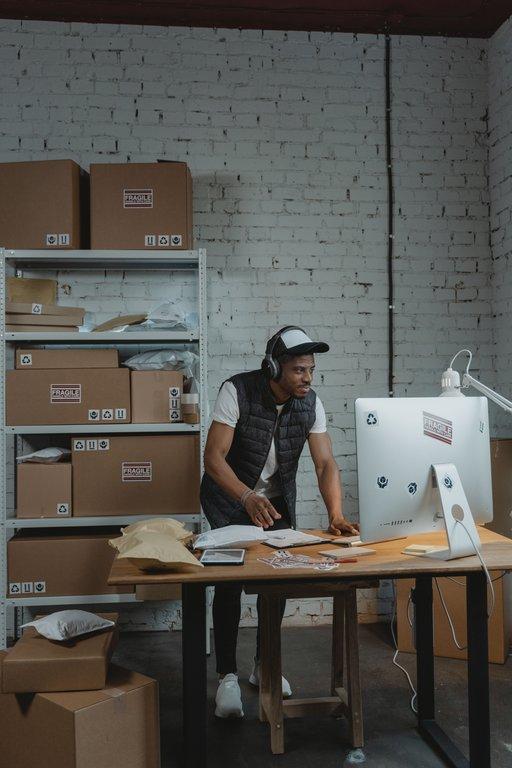


This is a rhythm rather than a cleanup. Once your site is onboarded the same team does the same work on the same cadence, week after week, and nothing on the list falls behind because nobody was chasing it.
1
We handle the recurring work your WordPress site needs to stay healthy: WordPress core, plugin, and theme updates on a consistent schedule, backups every day with 180-day retention, malware scans every day, SSL monitoring, and continuous uptime checks. Rather than several dashboards and a reminder nobody set, the whole workflow runs through one process you can audit any time.
2
Very little of what goes wrong shows up as an outage. We watch for downtime, PHP errors, broken forms, layout changes, malware indicators, and plugin conflicts, which is how an issue gets caught while it is still small rather than after it has cost you leads or a working checkout. When something does break, a staging environment and a recent backup make the fix a procedure instead of an improvisation.
3
Updates, backups, monitoring, malware response, and coordination with your host all sit with us. Your dedicated account manager knows your site, the plugins you depend on, and your business priorities, so when a question or judgment call comes up, you don't start from zero. Your team spends less time reacting to WordPress problems and more time on the work that moves the business forward.
Pricing
Standalone Service
/per website, per month
renews on the 1st of each month
SERVICES INCLUDED
DETAILS
Pick this when a single site needs WordPress maintenance, plugin and theme updates, daily backups, malware scans, and uptime monitoring handled in one place. It fits teams who want the site looked after without adding another standing job to internal staff.
Bundled Service
/per website, per month
renews on the 1st of each month
SERVICES INCLUDED
DETAILS
This one bundles hosting, WordPress maintenance, plugin updates, backups, and performance support together. It is for teams who are tired of coordinating separate vendors and want a faster, better monitored site without taking the technical work on themselves.
For the WordPress Hosting in this bundle, 2 GB of storage and 100 GB of bandwidth are included. Any usage beyond that allocation results in additional charges.
Testimonials