On Page Navigation

A Workato Alternative for a Bill You Cannot Size Before You Run It

Workato sells four editions of a single platform, meters what you consume by capability, and publishes no price for any of them. This page is for a business whose automation problem is counted in hours a week rather than in workspaces.
What Workato gives you, and what the meter counts once you turn it on
One platform in four editions, with consumption weighted per capability and no price list anywhere
Workato publishes a plan table with four columns in it and not one number. Standard, Business MCP, Enterprise MCP and Workato ONE each list what they include, and every path off that page ends at Get a quote. What Workato does publish is the shape of the bill: consumption weighted per capability, tracked in a usage dashboard you get after you sign, and a footnote saying your own structure may differ depending on when you joined. Read the rest of this page as an argument about who is still watching it a year later.
Icon representing a plan table of four editions carrying no published figure

The plan table is real, and every column ends at Get a quote

Workato does something the other unpriced vendors here do not. It shows you four editions and exactly what separates them, then stops short of the number. You can work out which edition you need and still have no idea what it costs. That is a normal enterprise motion and there is nothing dishonest in it. It does mean the useful half of the decision, the size of the bill, is the half you cannot make from the website.
Icon representing concurrency counted in single digits and sold as an add on

Concurrency is one on the two lower editions, and more of it is an add on

Standard and Business MCP each include one concurrency. Enterprise MCP includes fifteen and Workato ONE includes thirty, and the footnote is explicit that those are totals rather than additions to the tier below. Concurrency also sits on the add on list, which is the tell. How many jobs can run at once is a thing you buy, and you find out how much of it you need by running the platform.
Icon representing a bill weighted per capability and readable only after signing

The bill is weighted per capability, and the dashboard that reads it arrives after you sign

Workato is a capable platform and the connector count is not in dispute. What consumption pricing does not contain is the person who notices, a year later, that a recipe has been retrying against a retired endpoint every night and consuming your allowance while it does. Their answer to that is a usage dashboard, which is a good one as far as it goes. It tells you what you spent. It does not tell you which of the things you spent it on were worth running.
Both of us end up costing you every month, and the difference is whether you can predict it
Workato is the one rival on this hub metered per capability rather than per task or per seat. That is more honest and much harder to forecast.
One column is an edition of an enterprise platform, quoted after a call, billed against consumption you cannot estimate until the recipes are already live. The other column is a small team who map what your staff do by hand, automate the few things worth automating, watch every run and repair it when an endpoint changes underneath. Both are real answers. Only one of them gives you the number first.

Cascadia

Your processes ranked against the hours they burn this month, then built, watched and repaired by the same people who sat and timed them, for one published number a month that does not move when your volume does.

Without Cascadia

Four editions to choose between, a quote to wait for, and a bill weighted against capabilities you will not have used yet on the day you agree to it.

Comparison

Cascadia vs Workato
Read every row as a question about who operates the thing, not about quality. Workato is a deeper platform than most of what sits on this hub and several of these rows would read differently against a small canvas tool. Each cross marks something the published model does not offer rather than something Workato does badly, and because Workato publishes no commercial terms at all we have kept every row that would need one out of the table entirely. Everything in the left column is covered by our managed business process automation service.

The automations you already run, on somebody else's platform, watched by us anyway

The process costed in the hours it burns this month, before anybody proposes a platform

A renamed field or a retired endpoint found by us, usually before anybody on your side notices

Somebody acts on a failed run, instead of it sitting in a log nobody has a reason to open

A workflow that has run every morning for nobody at all gets found and turned off

A number on the page, rather than four feature columns that all end at Get a quote

Repairs included in the monthly fee, rather than an onboarding package quoted separately

A commitment that ends with thirty days notice, whatever month you happened to sign in

Being told plainly that your problem does not need a platform at all

One number to budget, rather than a consumption meter you cannot read until it is running

Generic logo representing a comparable provider.
Workato

Where Workato fits

If you are orchestrating work across dozens of systems, you need on premise connectivity and an API platform in the same product as the workflows, and somebody internally owns a consumption budget, this is a serious platform and the call is worth making. We are not going to pretend otherwise.
Cascadia Web Services logo

Cascadia Web Services

Where the problem is real, the budget is monthly, and nobody can forecast a consumption bill

We are for the case sitting a long way underneath that one, where a handful of automations already exist across two or three different tools and nobody in the building reads what any of them actually did last month.

Where Workato is strong

Icon representing twelve hundred prebuilt connectors included on every edition
Twelve hundred connectors, on every edition, with nothing rationed by tier
Most platforms ration connectors by plan and put the one you need on the tier above. Workato does not. Its own pricing page states twelve hundred plus prebuilt connectors included out of the box for every user, alongside unlimited workspaces and unlimited users, and none of that moves between editions. If your problem is that a cheaper tool cannot reach one of your systems, that is a straight answer to it and it does not cost you an upgrade.
Icon representing integration, an API platform and data pipelines inside one product
It is one platform where most of this hub is one canvas
Integration, an API platform, ETL and reverse ETL, event streams, data pipelines and document processing all sit inside the same product rather than beside it. Most of what else is on this hub connects applications to each other and stops there. If you are trying to retire three tools and have one vendor answerable for the whole path a record takes through your business, that consolidation is the entire point and it is a good reason to pick them.
Icon representing on premise agents reaching systems that never face the internet
On premise systems get reached without anything being opened to the internet
Workato ships on premise agents, three of them on Business MCP, ten on Enterprise MCP and thirty on Workato ONE, with a private link add on and a fully private deployment option beside them. n8n on this hub can be self hosted, but that puts running it back on you. If you have a database or an ERP that will never face the internet and you still want a vendor contractually answerable for the integration, that pairing is uncommon here and it is a legitimate reason to choose them.
Icon representing a usage dashboard reporting consumption as it is being spent
The usage dashboard is more than most metered vendors give you
Workato reports consumption in a built in dashboard, tracks on premise agents and concurrency in the same place, and lets you set notifications against all of it. Plenty of metered vendors tell you what you spent only when the invoice lands. Being able to watch the meter move, and to be warned before it moves too far, is real engineering rather than a marketing line, and we would rather say so than pretend the meter is a trick.
All of that stands and none of it is grudging. If you need integration, an API platform and data pipelines answerable to one vendor, or you have systems that will never face the internet, Workato is a credible purchase and this page is not trying to talk you out of it.

What two hundred dollars a month buys, and why the number is on the page at all

Icon representing a broken step rebuilt the same week it stopped firing
Every failed run gets an owner, a date, and somebody who fixes it that week
The broken step gets diagnosed, the credential gets renewed, and the integration gets rebuilt against whatever changed underneath it. None of it arrives as an additional service to be purchased. Repairs are included at every tier we sell, including the two hundred dollar one.
Icon representing one flat monthly fee with no capability, concurrency or run count
Nothing here is counted by the capability, the concurrency, or the run
No consumption arithmetic when a workflow starts firing more often, no add on to buy when two things need to run at once, and no cap on how many automations we watch. One number a month, and it holds whether your volume doubles or halves.
Icon representing a named person accounting for a month that went backwards
A month that went backwards gets explained in writing, by a person
Their documentation is thorough and their usage dashboard is real. Neither of those tells you which of last month's runs was worth paying for. Once a month you get a plain summary of what ran, what failed, what we repaired and what we changed, written by the people who built it.
Icon representing monitoring and alerting tooling paid on our side of the line
The monitoring sits on our side of the invoice
The watching and the alerting that catch a workflow completing every step against a query that now matches nothing sit on our side of the line. They are our cost, not an additional service. Finding that in week one is worth more than explaining it in month six.
Workato will sell you a capable platform and a meter to run it against. Our case is about a much smaller shape of the same problem. Which processes were worth automating at all, who notices the morning one stops, who repairs the integration a vendor changed under you, and who carries the cost of that repair. The same reasoning runs under the rest of our managed AI services.

Onboarding process

What the first ninety days look like when nothing is metered

Almost all of the work here is ours. What we need is a few hours with the people who actually run the process, and one decision at the end of each stage. There is no edition to choose and no consumption forecast to build first.

1

We watch the job get done before anybody proposes a platform

We sit with whoever runs the process today and record it as it actually happens, exceptions included, especially the ones nobody mentions any more because the workaround has quietly become the process. That record belongs to you whether or not you continue with us.

2

Anything already running and quietly broken gets dealt with first

Automations that throw an error on every run are the easy half. The harder half is the ones that finish clean and produce nothing, and those are usually what has been costing you longest. Both get dealt with before anything new gets built.

3

The build list is ranked by hours saved, and most candidates lose

Candidates get ranked against your own hours rather than against a platform capability list. Anything that runs four times a year, or carries a mistake more expensive than the time it saves, gets marked do not automate, and we tell you why.

4

Workflows start shipping, and somebody signs the month that follows

They get built, tested against records that do not matter, and turned on one at a time. Each arrives with a named owner on our side and its own line in the monthly report, so no workflow ever ends up running without somebody accountable for it.

Testimonials

Don't Take Our Word For It

Two ways a capable platform and an unread report sit side by side
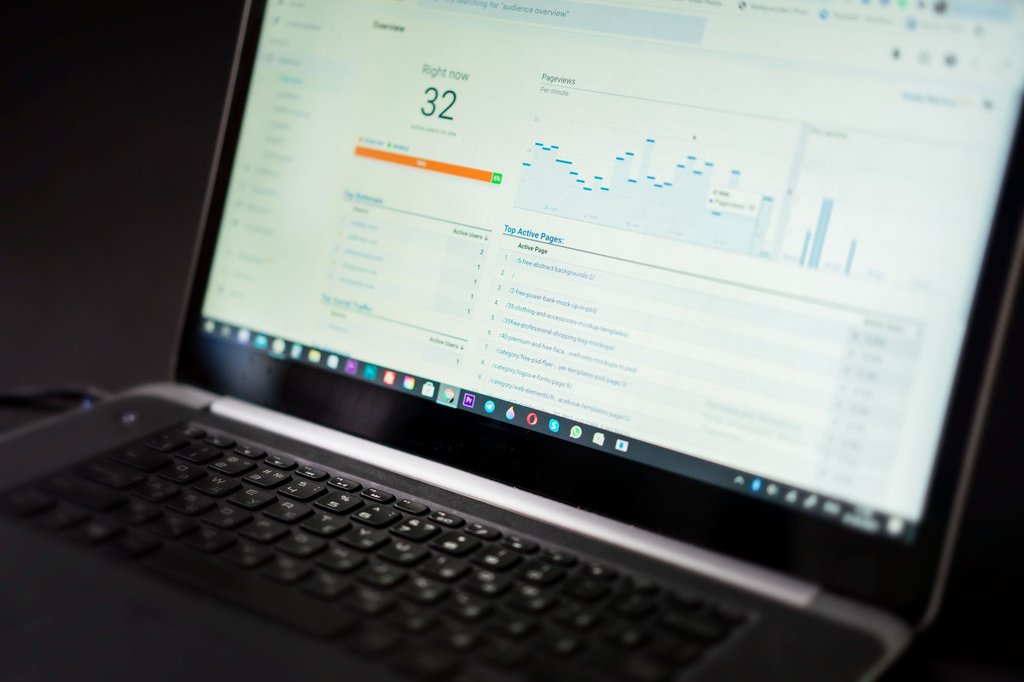
Two situations with one thing in common. In both, the platform did exactly what it was sold to do, every step ran, and the workflow had been designed sensibly in the first place. What was missing each time was somebody reading the output, which is part of what our automation maintenance service is for.
A laptop showing a dashboard that nobody has acted on

How this plays out

A year of clean dashboards, and nobody had opened the integration log since March

The agreement renewed on time and the dashboards looked healthy. The integration moving approved invoices into the finance queue had been failing on one branch since a field was renamed, and the log recorded every one of those failures accurately. Nobody had a reason to open it, so the invoices quietly went back to being handled by hand while the reports carried on looking fine.
A man at a laptop working out how long something has been going wrong

When this comes up

Every run completed on time, and the step behind it had returned nothing

Two quarters of completed runs and nothing wrong with the workflow itself. A filter upstream had been narrowed during an unrelated change, so the automation was doing exactly what it was told against a query that now matched nothing. Complete is not the same as correct, and only a person reading the output ever catches the difference.
200

Dollars a month, printed here rather than quoted after a phone call

Monitoring of every automation you already run, unlimited repairs and a monthly report. That is the entry tier, and it carries no build allocation on purpose.
0

Setup fee, no licence to buy, and no charge for any repair we make

Nothing to pay before we begin, no year to commit, and thirty days notice ends it whenever you decide.
2-6

Weeks from a mapped process to an automation running against live data

Two to six weeks for the first mapped process in most cases. The watching begins the week we take over rather than when the build finishes.

Workato alternative and managed automation FAQs

Frequently Asked Questions

What is a Workato alternative?
Anything that takes a repeatable business process off your team, or takes over running the automations you already have, without buying a platform licence to do it. Some alternatives are other workflow tools, and Zapier, Make, n8n, Power Automate, Process Street, Kissflow and Nintex are the others sitting beside this one on the hub. This one is not a tool at all. It is a managed service, so the real comparison is between buying software and buying an outcome.
How is Cascadia different from Workato?
Workato sells four editions of one platform and meters what you consume on it. We operate whatever you already have. It gives you twelve hundred connectors, an API platform, data pipelines and a dashboard reporting what they cost. It does not rank your existing processes against the hours they burn, watch the automations you run on other vendors tools, or repair those when a vendor changes an endpoint. We do that, and we are content to do it alongside Workato if that is where your processes end up living.
How does your price compare to theirs?
We cannot tell you, and neither will they. Workato lists four editions and puts a price on none of them, so there is no number of theirs to set against our two hundred dollars a month. What we can say is that ours is on this page and does not move with volume, while theirs is a quote weighted against consumption. Treat any figure you find quoted for Workato elsewhere as somebody else's guess, because that is exactly what it is.
Is Workato cheaper than this?
We do not know, and neither does anybody who has not been quoted. Workato publishes no starting price for any of its four editions, so there is nothing to compare. What we will say is that an enterprise platform carrying an API platform, data pipelines and event streams, sold with a consumption meter and paid onboarding packages beside it, is not shaped like a two hundred dollar monthly subscription. We have no number, so we are not going to invent one.
Why pay this when the platform already does so much more?
Because more platform is not the same as less work. Workato is a broad, capable product and we are not competing with its feature list. What an edition and a usage dashboard do not contain is somebody accountable, in month fourteen, for what your automations actually did last month. That is the whole of what you are buying here.
Can you work inside our existing Workato account?
Yes, and that is the usual arrangement. The account stays yours, the agreement stays on your bill, and we work inside it with scoped permissions. You can see everything we do and remove our access in a minute without touching a single workflow.
Should we buy this at all?
Often not, and the mapping is where you find out. If it turns up three processes worth automating and one person on your team could build them in an afternoon, we will say so and you can stop there. Charging a monthly fee to watch automations that do not exist yet is not a business we want to be in.
Do we have to stop using Workato?
No, and if the platform is doing its job there is rarely a reason to. It holds your recipes, your connections and your pipelines, and all of those would cost real money to rebuild somewhere else. We work in whatever your processes already run in, and moving them is a decision with a genuine cost attached that we will only recommend for a better reason than our own convenience.
Does anything break while you take over?
No. Nothing is rebuilt, nothing is migrated, and no credential changes hands during handover. We start by reading what exists and watching it run. The first thing you get is a report, not an outage.
What if our automation is already broken and costing us money?
Then that comes first and the build list waits. An automation failing today is worth more attention than one that does not exist yet. Repairs are included from the entry tier, so fixing what is already broken never arrives as an additional service to purchase.
Do you own the account, the subscription, or the workflows?
None of the three. The account is yours, the agreement sits on your own billing, and the workflows belong to you along with the process documentation we write. If you leave, everything keeps running and nothing has to be handed back.
What is included at each tier?
Four flat tiers, none of them metered. Essentials at two hundred is monitoring and unlimited repairs with no build allocation. Build at five hundred adds new workflow design. Scale at twelve hundred covers up to forty active workflows and adds anomaly detection, a quarterly review and a one business day response. Partner at twenty five hundred adds custom alerting, a monthly session and a four business hour response.
Do you guarantee a workflow will never fail?
No, and be suspicious of anybody who does. Vendors deprecate endpoints, fields get renamed, and credentials expire on schedules nobody controls. What we commit to is finding it, fixing it, and not charging you for the repair.
What does the monthly report actually contain?
What ran, what failed, what we repaired, what we changed and what we think you should do next. A person who works on your automations writes it, rather than a dashboard generating it, and it names anything we think you should stop doing altogether.
How long before we see a difference?
The watching starts the week we take over, so the first silent failure usually surfaces within days. A first mapped process normally reaches live data in two to six weeks, depending on how many people touch it and how many exceptions the mapping uncovers.
What if we want to leave?
Thirty days notice ends it and nothing is stranded. The account, the agreement, the workflows and the process documentation were always yours. We remove our access and the automations carry on running exactly as they were.
​Contact

Ask Us Anything

We’d love to hear from you!